October SPECIAL OFFER! Sign-up to our newsletter to receive the latest offers and news.
DJ Deck Stand for Compact Music Setups
Your spare corner fits two turntables and a mixer, but that doesn’t mean the whole rig fits safely. A compact DJ deck stand must allow for cables and working room as well as equipment width. For a fixed home setup, choose a media or turntable unit only if its surface, height and load capacity suit everything; for gigs or frequent moves, use a purpose-built folding or adjustable DJ stand.
The trade-off is straightforward: home furniture can keep records close at hand, while a folding stand packs away after a set.
Key Takeaways
Measure decks, mixer, plugs, cable bends and hand clearance together.
Folding designs suit transport; home furniture suits a settled rig.
Table-top stands need a separate, stable surface.
Confirm height and load capacity against your complete setup.
Choose vinyl storage only when the top safely fits your equipment.
Start with the whole working footprint, not deck width
A compact setup needs less floor space, but it still needs a usable surface. Plan around the working footprint: the space occupied by your equipment, its connections and your hands while you mix. Measuring only the decks can leave the mixer crowded or cables pressed against a wall.
Include every part of the rig
Measure the turntables, CDJs or controller alongside the mixer, then sketch their intended positions. Two decks placed side by side with a mixer between them need a different surface from a controller and laptop arranged in a line. Use the layout you actually play with, not the maximum number of items you own.
Connections need space too. A rear-facing plug or cable can extend beyond a deck’s casing, while a wall directly behind the stand can prevent a cable from turning naturally. Leave room for those connections and for your hands to reach the controls without nudging neighbouring equipment.
Working footprint: the surface your rig occupies, including its cable connections and the room you need to operate it.
Make space for the way you mix
Think about what moves during a set. You may reach across a mixer, use a crossfader or adjust a turntable control. A surface that fits the equipment edge to edge can still feel cramped if your hands catch a laptop, raised shelf or nearby wall.
A paper template gives you a useful check before buying. Mark the complete equipment outline, including plugs, on paper or cardboard, then place it where the stand will sit. This reveals clashes with skirting boards, shelves and nearby furniture before you commit to a unit.
Check access around the setup as well as on top. You’ll need to plug in, unplug or reposition equipment without lifting the entire rig. If a cabinet sits against a wall, check whether its cable route remains reachable once the furniture is in place.
Folding, table-top and fixed stands suit different rooms
A compact stand isn’t automatically useful at home and on the move. Decide whether you need to reclaim floor space after a session or keep a permanent station ready to play. The three main options answer those needs differently.
Choose folding stands for regular transport
A folding DJ stand suits gigging or a setup that moves between rooms. It can be packed away after use, but check the deployed footprint as carefully as the folded size. Your decks and mixer still need a stable, clear platform when the stand is open.
Height adjustment and folding are separate features, so check each model rather than assuming it has both. Look for a secure locking mechanism and confirm how the stand supports your equipment. A stand that travels well but feels unstable once opened doesn’t suit a working DJ setup.
Compare the surface you already have with fixed furniture
A table-top stand raises or arranges equipment on an existing desk or table. It can suit a small controller or a compact home rig, but it doesn’t remove the footprint of the desk beneath it. Check the platform’s usable surface and whether its feet or clamps work with your table.
Stand type
Suits
Check before choosing
Main trade-off
Folding DJ stand
Gigs and frequent moves
Open size, folded storage, locking parts and load rating
Packs away, but needs setup each time
Table-top stand
Compact equipment on a desk
Platform size, added height and cable access
Saves a separate stand, but still needs a stable base
Fixed furniture
A permanent home station with record storage
Full surface, height, load rating and access
Adds storage, but isn’t designed to pack away
Fixed furniture makes sense when your setup stays in one room and you want a dedicated station. Its size and weight make it a different choice from portable equipment, not a universal alternative. Treat the table as part of the room layout and check how you’ll reach cables and stored records.
Measure the full setup before you order
Measure the gear in its intended arrangement, then compare that layout with the stand’s usable surface. The following sequence catches common fit problems, especially when the mixer and connections sit between or behind the decks.
Use this measurement sequence
Measure each deck, CDJ or controller, including the widest knobs and controls.
Arrange the equipment as you’ll use it and measure the full layout.
Add the mixer and any laptop or other item that will sit on the stand.
Mark where plugs leave each device and how the cables need to run.
Compare the complete template with the stand’s surface and stated load capacity.
Check the surface and the room around it
Use the stand’s usable top dimensions rather than its overall outer measurements. Frames, raised lips or support arms can take up space that looks available in a product photo. Make sure each item rests fully on a supported surface and that controls aren’t pushed against a raised edge.
The front-to-back measurement matters as much as width. A pair of decks may fit from side to side but leave too little space for plugs or cable bends behind them. If the surface sits close to a wall, check the cable route there before deciding that the dimensions work.
Finally, check the stand in its intended position. Measure any nearby shelf, wall or skirting board that could obstruct the setup, then place your template on the floor or existing desk. This simple check can expose a cramped layout that a product’s width alone won’t show.
Set a comfortable height and check stability
A stand can fit every piece of equipment and still be awkward to use. Set the working height for your main posture, then check that the complete rig stays steady when you reach across it. These checks matter in a fixed room as much as they do at a gig.
Match the height to how you play
For a standing setup, check that you can reach the mixer and deck controls without hunching your shoulders or stretching across the equipment. For a seated setup, check your reach from the chair you’ll actually use and make sure your knees have room beneath the surface.
An adjustable stand is useful when you need to change posture or share the station with someone who plays at a different height. But extra adjustment isn’t a substitute for a stable base. If you play in one position and the fixed height feels comfortable, a simpler unit may meet your needs.
Check the load and the support points
Add up the weight of everything that will rest on the stand, including the mixer and any laptop or accessory. Compare that total with the manufacturer’s stated load capacity. If the stand has more than one shelf, check which surface the rating covers rather than assuming it applies to each tier.
Place equipment fully on the supported area and follow the stand’s instructions for assembly and locking. An overhanging deck or an unsecured folding joint can make the setup less stable. Don’t treat a compact footprint as proof that a stand can safely support your particular rig.
Once assembled, check for wobble on the floor or table where you’ll use it. Test the setup gently before connecting or playing equipment, and watch for movement when you reach the mixer or handle a cable. A loose connection or uneven floor can affect stability even when the stand itself is suitable.
Arrange equipment and cables for easy access
A compact DJ station works best when every item has a clear place. Put the equipment you operate most within easy reach, and leave enough space to use its controls without disturbing the rest of the rig.
Plan the equipment layout
Start with the decks, CDJs or controller, then place the mixer where you can reach its controls comfortably. If you use two turntables with a mixer, make sure the mixer isn’t pushed to an edge simply because the decks were measured first. Include any laptop or other equipment that will share the surface.
Keep frequently used controls and headphones accessible. A shelf or raised platform can save surface space, but it may put equipment out of reach or block a control. Try the intended layout with the gear switched off before settling on the final positions.
Route cables without crowding the stand
Identify the connections on each device before placing it. Note which cables exit at the back or side, where the power lead runs and whether the wall socket remains reachable. Keep cables clear of controls and avoid routes that pull a plug when you move a deck or mixer.
Leave enough slack for equipment connections without letting cables trail across your hands or work area. A tidy route also makes it easier to spot a cable that has come loose. If you plan to move the stand, check that the cables can be disconnected or secured without lifting equipment awkwardly.
A record cabinet can anchor a fixed home station
A turntable or record cabinet can work as a DJ station if its top suits the complete rig, its height feels comfortable and its load capacity is appropriate. Check those points before treating furniture as a stand; a storage unit and a portable DJ stand solve different problems.
Check the full top, not just its width
Use your equipment template to check the cabinet’s width and depth, then allow for plugs, cable routes and hand movement. A stated width doesn’t confirm that decks, mixer and connections will fit front to back. Check access to the back of the unit if it will sit close to a wall.
Height needs the same attention. A cabinet designed for turntables may suit a home listening setup, but your mixer layout and playing posture still determine whether it feels right. If you plan to work standing, test the height with your controls in place rather than judging it from the cabinet alone.
Combine equipment access with record storage
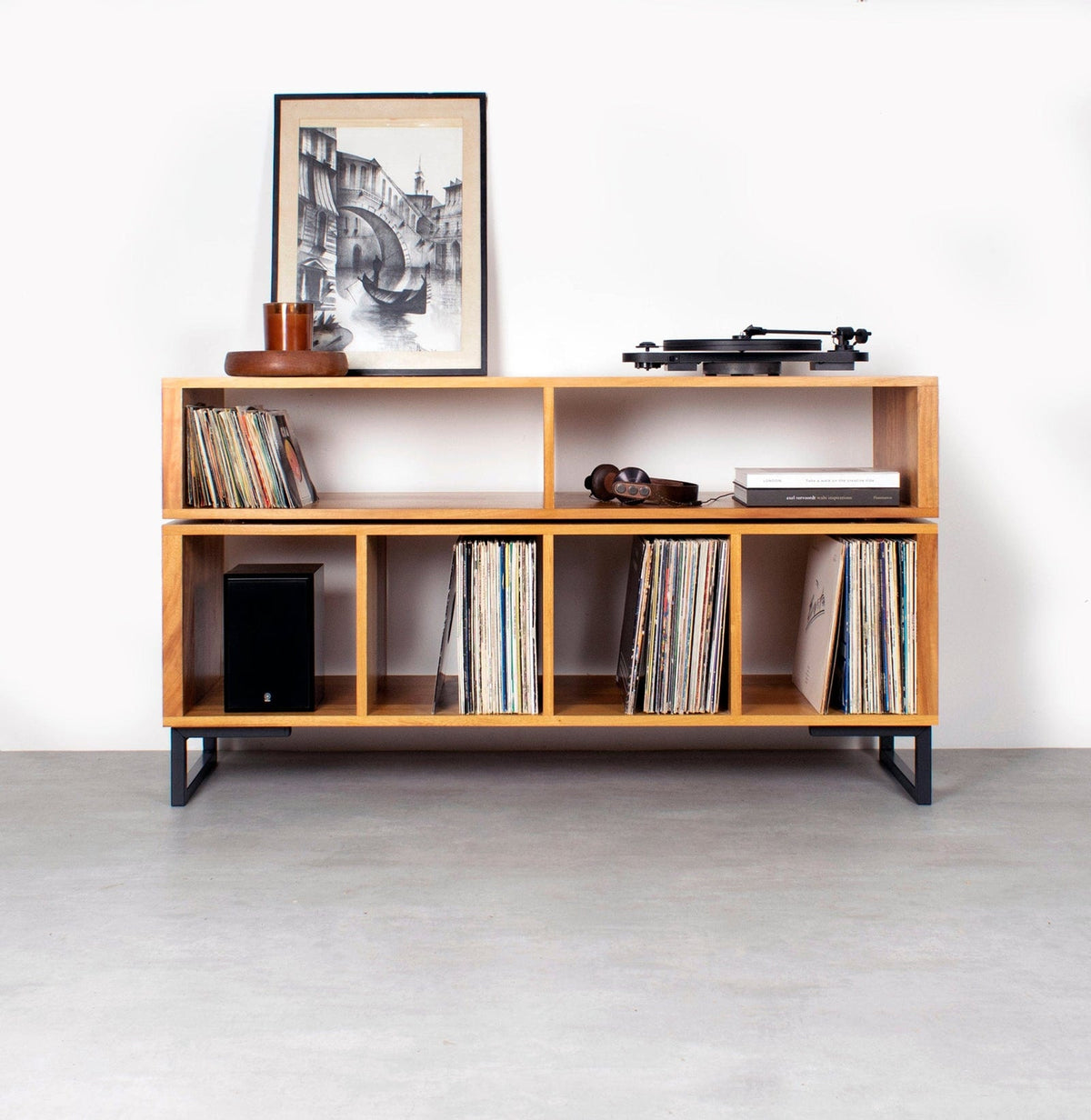
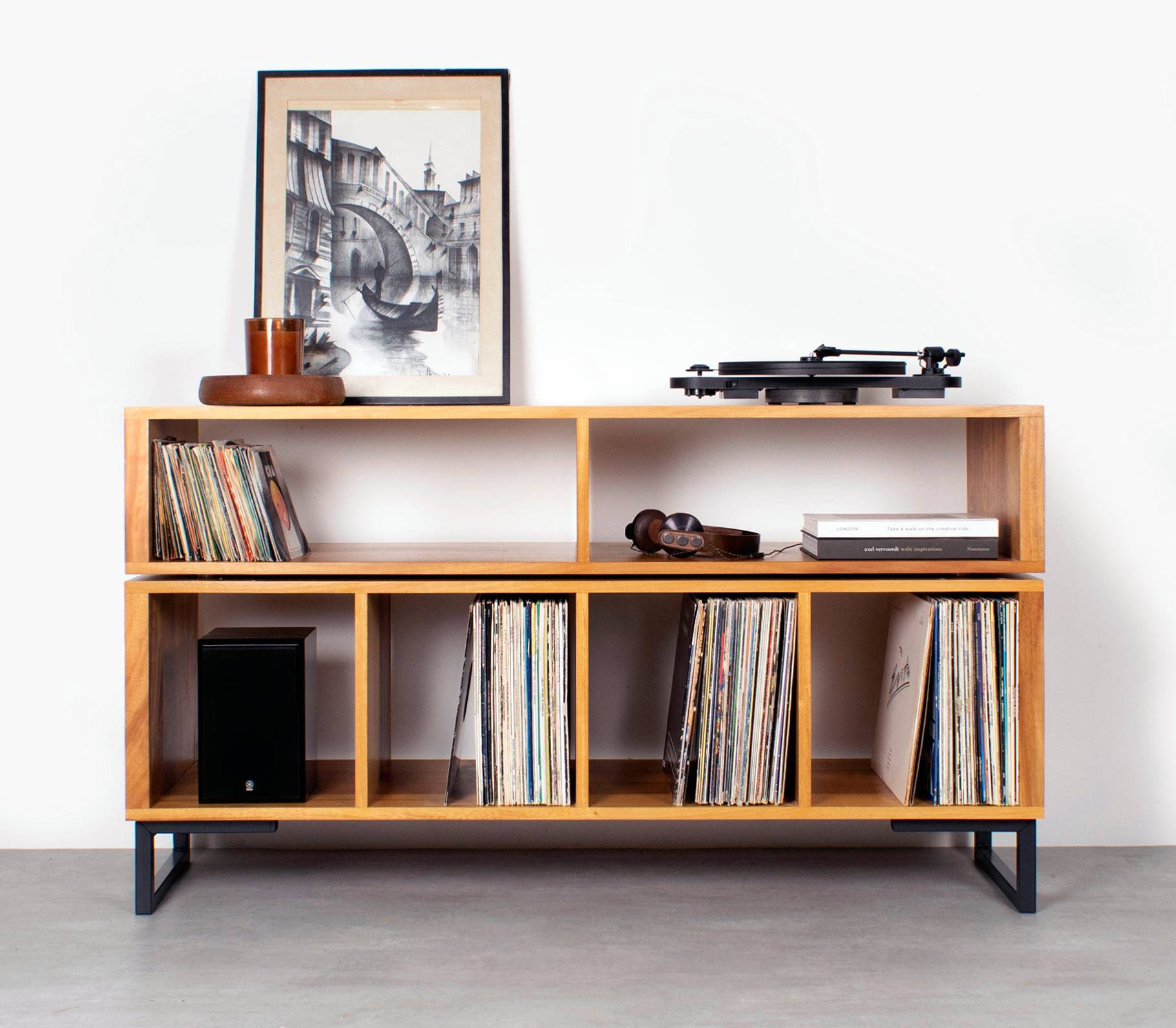
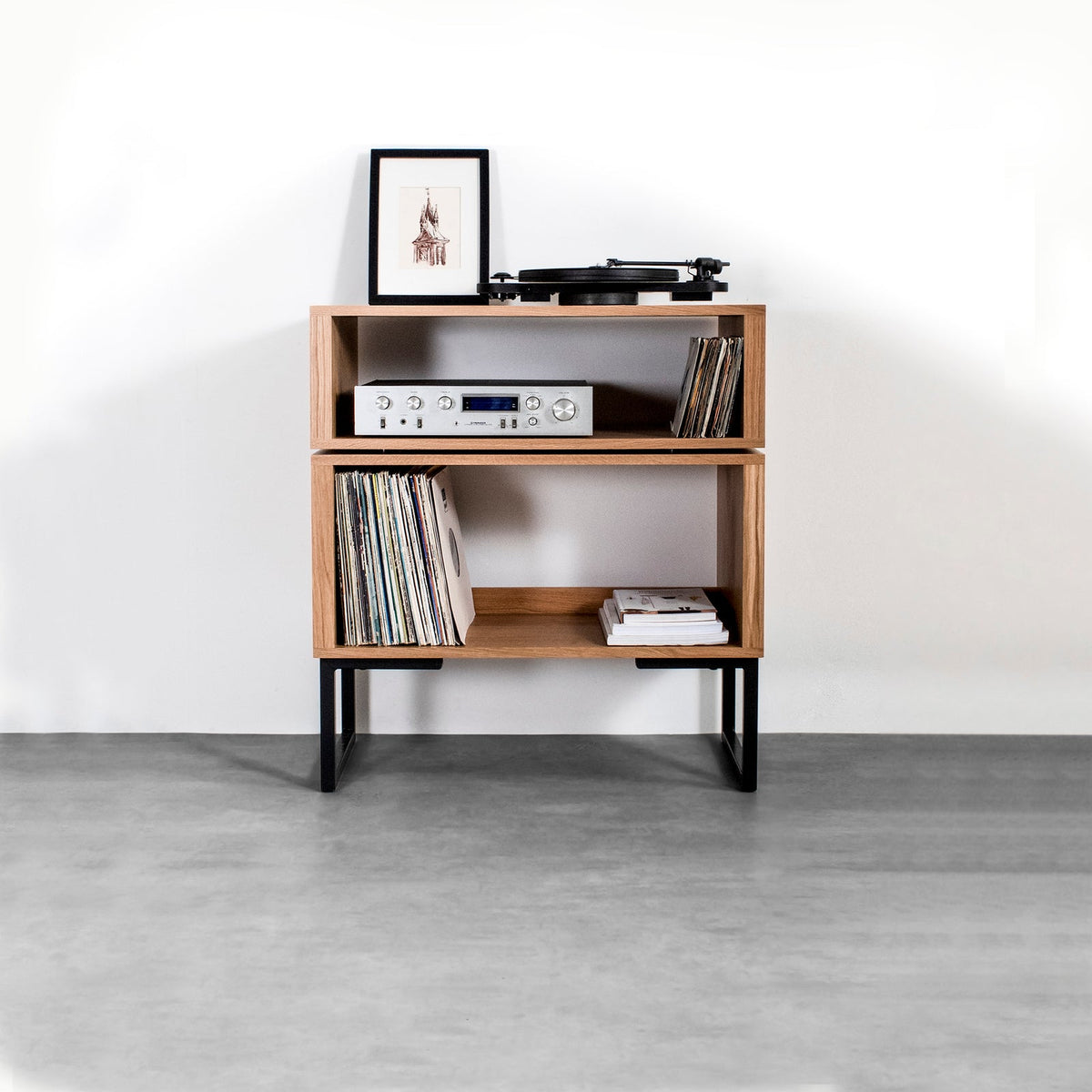
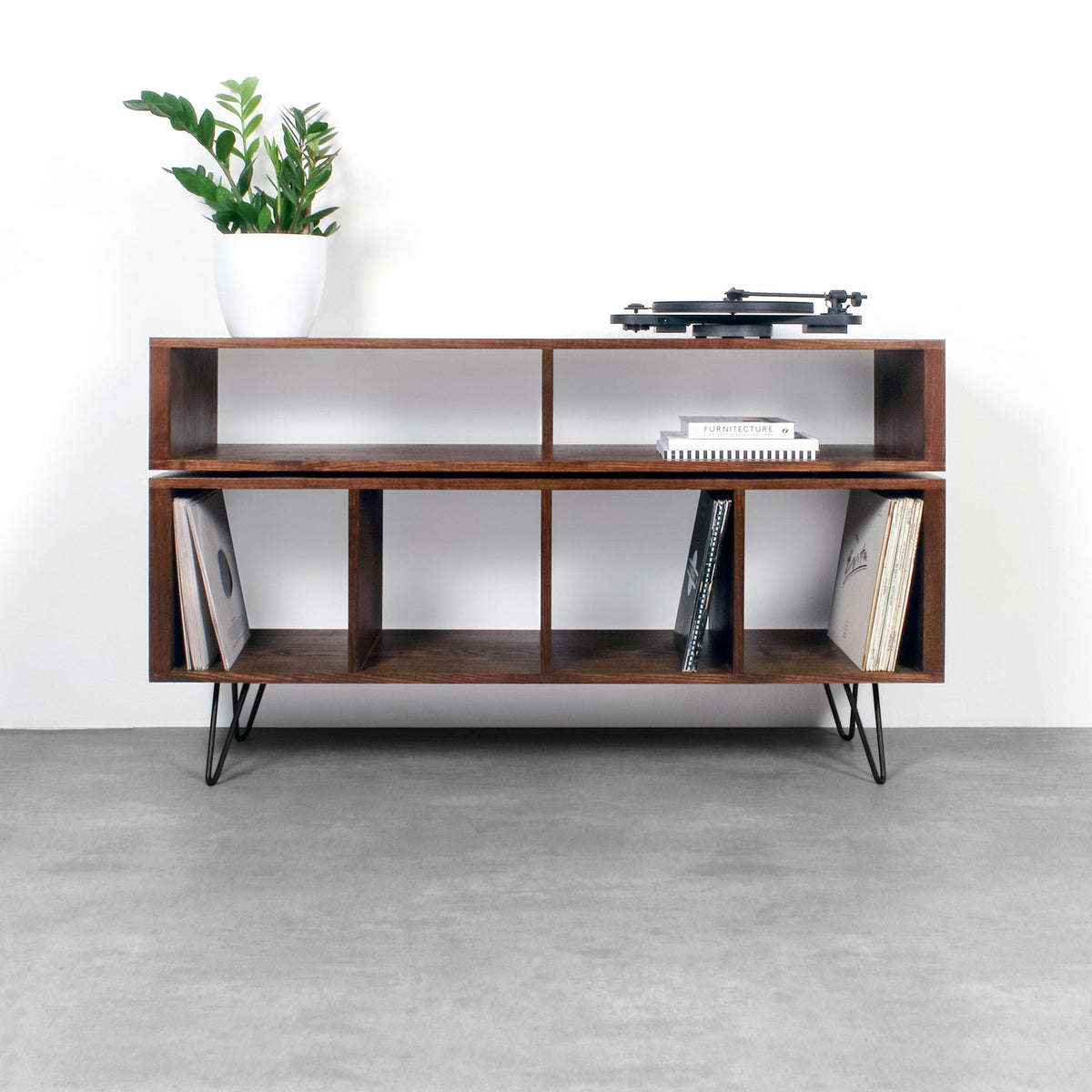
The Technic Turntable Stand on Minimalist Square Legs is a solid wood vinyl storage cabinet with a topline section for equipment or 7-inch singles and room for records below. It comes in widths of 100 cm, 120 cm and 140 cm, with leg heights of 15 cm or 25 cm. The larger sizes can accommodate a couple of turntables and a mixer on top.
The stand is available in iroko, oak, dark ash and walnut, and is described as an optimum height for use as a turntable stand. Check the selected unit’s full surface dimensions against your template before ordering; the width alone won’t confirm that your complete setup fits.
A fixed cabinet can put your record collection close to the decks and keep the station ready for use. The trade-off is that it doesn’t pack away like a folding stand, so it’s a poor default for regular transport. Choose furniture for a settled room and portable equipment for gigs.
Conclusion
Before you buy, map the full rig on the surface where it will sit, including the mixer, cables and room for your hands. If the setup stays in one room, compare fixed furniture by its surface and height. If you’ll move it often, choose a folding stand and check where it will be stored between sessions.
Frequently Asked Questions
What is the best DJ deck stand for a compact setup?
Choose the smallest stand that safely supports your complete layout, including the mixer, connections and room to work. For a controller and laptop, a table-top platform on an existing desk may be enough; frequent transport calls for a purpose-built folding stand.
Is a table-top stand or folding DJ stand better for home use?
Choose a table-top stand when you already have a stable desk and want to raise or organise your equipment. Pick a folding model if you need to store the stand or move it between rooms; the desk beneath a table-top stand still takes up space.
How do I check that a stand fits my decks, mixer and cables?
Measure the full arrangement, including plugs and cable routes, then compare it with the stand’s usable top area. A paper template made to those measurements can reveal overhangs and awkward gaps before you buy.
Can a solid wood record cabinet work as a mobile DJ stand?
A solid wood cabinet can work as a fixed DJ station if its surface, height and load capacity suit your rig. It doesn’t offer the same pack-away function as a folding stand, so choose portable equipment for regular gig transport.